Online stores · Preparing your decision
Improve or rebuild your online store: which approach makes sense?
When an online store no longer works properly, starting afresh is an appealing idea. A new system promises a clean start. Yet rebuilding takes considerable effort and carries risks of its own. Often, the underlying problems can be resolved in the existing shop.
This article helps you prepare the decision systematically. It explains which areas to assess, the risks of switching and the questions that matter most. There is no blanket recommendation: analyse first, then decide.
The existing system’s condition and technical limitations
Start with an honest assessment. Is the system stable? Is the provider still developing it? Are extensions up to date and compatible with one another? A system with recurring errors or years of overdue updates presents a different starting point from a well-maintained shop with isolated weaknesses.
Technical limitations arise when a required feature is impossible or very difficult to implement in the existing system. This might be an additional language, an inventory management integration or a particular checkout process. Check carefully whether the limitation lies in the system itself or merely in the current plan, theme or an outdated extension.
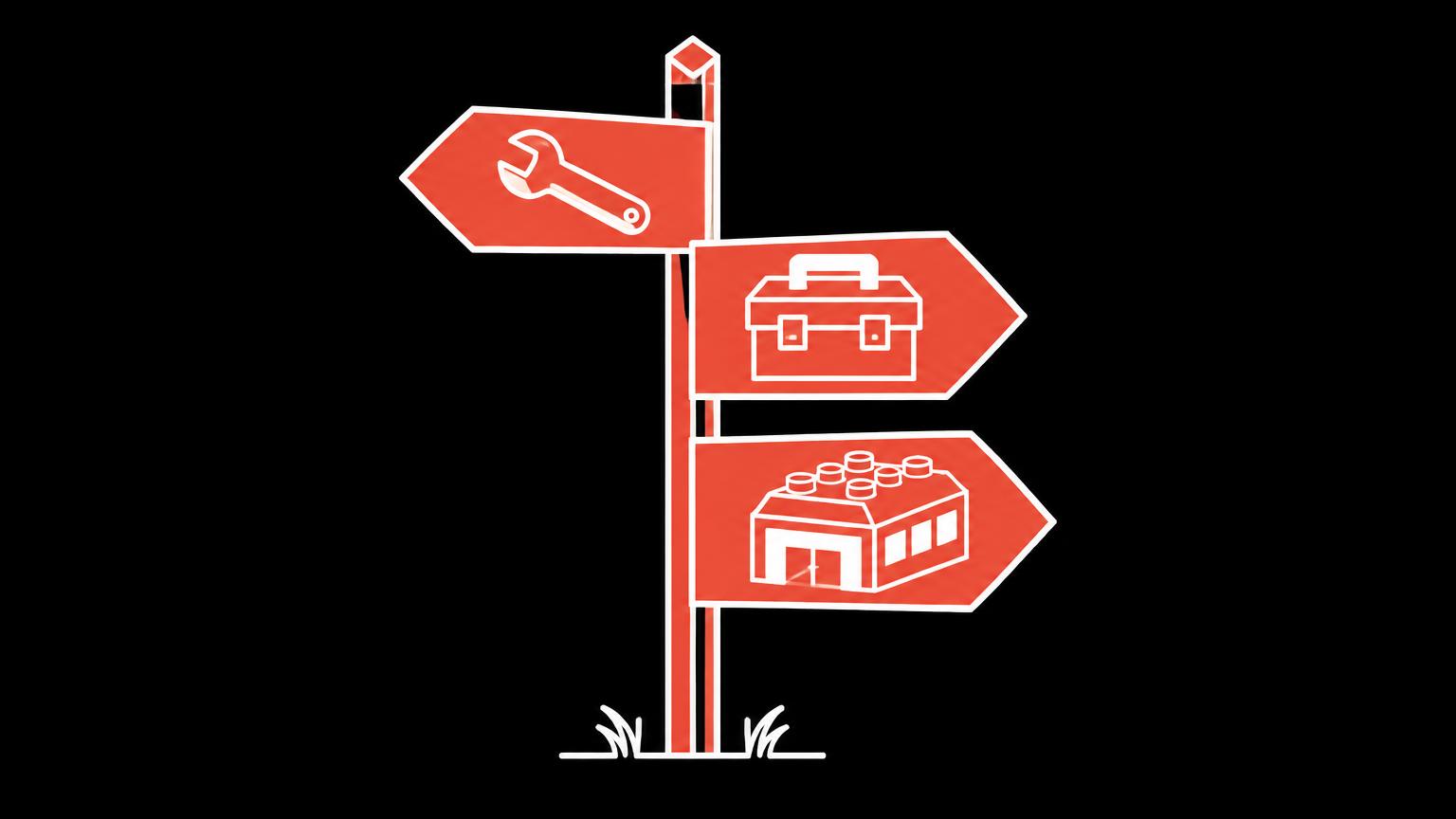
Three possible directions
The decision is rarely a simple either/or. Between targeted improvements and a complete rebuild lies a major overhaul: retaining the system while fundamentally renewing its structure, design or data. The graphic shows these three directions and typical reasons for choosing each.
Design and mobile use
An outdated design often prompts thoughts of rebuilding. Yet most systems allow you to refresh the design without changing platforms. A new theme or redesigned key page types can make a substantial difference, provided the underlying data and processes are sound.
Look closely at mobile use. Is the shop merely unattractive on a smartphone, or genuinely difficult to use? Can theme adjustments resolve the problems, or is the system fundamentally unsuited to mobile layouts? The latter provides a stronger case for a bigger change.
Also consider whether the design still reflects your current brand. If your logo, colours or offering have changed since launch, a design overhaul makes sense even if the technology works well. It can be combined effectively with a content clean-up.
Basket, checkout, payment and shipping
Purchase process problems often have specific causes: unexpected costs, long forms or missing payment methods. Many can be resolved through settings or minor adjustments. Checkout optimisation describes common problem areas.
The situation is different if the system fundamentally lacks a required payment method or cannot support shipping rules central to your business. In that case, check whether an extension fills the gap and what it costs over time. Only if that is not possible should a system change enter the discussion.
Extensions, integrations and speed
Many older shops carry a burden of extensions. Each was once installed for a specific purpose, but some have long since become unnecessary. A clean-up is often the first and least expensive step. It can improve speed and reduce update conflicts.
Integrations with inventory management, accounting or shipping services are an important factor. If a necessary integration is unavailable in the existing system, that may support switching. Conversely, a working integration can be a good reason to stay, because rebuilding it would require substantial effort.
Maintenance, in - house knowledge and ongoing costs
Who maintains the shop today, and how familiar is the team with it? Changing systems means everyone must learn again. Your team’s familiarity with the existing system is an asset worth including in the decision. Conversely, a system nobody understands any longer may justify a fresh start.
Compare the ongoing costs of both approaches over several years: subscription or hosting, extensions, maintenance and internal effort. A new system may cost less to run but brings one-off setup and migration costs. Check plans and fees before implementation, as they change regularly.
If you would like to establish whether improvements or rebuilding make more sense for your shop, ask us to review it.
Send a non - binding enquiryFuture requirements and data migration
Think a few years ahead. Are you planning new markets, languages, customer groups or sales channels? If the existing system is unlikely to support these plans, a planned migration makes more sense than switching under time pressure later.
Switching requires data migration: products, variants, images, customers, order history, vouchers and addresses. Not everything can be transferred completely. Clarify early which data must move and which can be archived. Many systems support spreadsheet imports, such as WooCommerce for products. Customer data is also subject to data protection requirements.
Migration risks and gradual improvement
Changing systems carries risks: lost data, missing URL redirects, reduced search engine visibility, new process errors and a learning period for the team. Good planning reduces these risks but cannot eliminate them entirely. Google’s SEO Starter Guide explains why proper redirects matter when URLs change.
Gradual improvement, by contrast, allows each step to be checked individually. Start with data, then navigation, then checkout. If the system reaches its limits along the way, your cleaned-up data already provides the best foundation for a later migration.
Once you decide to switch: plan carefully
If you decide to rebuild, start planning with an inventory: all pages, URLs, products, categories, extensions, emails and settings. This shows what the new shop must retain and what you deliberately want to remove. It also forms the basis for redirects from old URLs to new ones.
Schedule the switch for a quiet sales period and leave the old shop unchanged until launch to avoid losing data. For several weeks after launch, monitor orders, emails and redirects particularly closely. A short contingency procedure gives everyone involved confidence if something does not work.
Assessing your situation with an example
The following decision aid lets you assess your shop’s technology, maintenance, design, purchase process, data quality and growth. The result suggests a possible direction to investigate, not a binding recommendation. Nothing is saved.
Questions to guide the decision
| Starting point | Possible improvement | Consider rebuilding | What to clarify |
|---|---|---|---|
| Design looks outdated | New theme, design | If the system cannot support modern themes | Available themes and customisation options |
| Incomplete data | Data clean-up | Rarely a sufficient reason on its own | Extent of the gaps |
| Checkout obstacles | Settings, forms | If a payment method is fundamentally unavailable | Providers and extensions |
| Many extensions | Clean-up | If core features depend entirely on plugins | Inventory of all extensions |
| Missing integration | Check extensions | If no connection is possible | External system requirements |
| System no longer maintained | Secure it in the short term | Likely in the medium term | Update status and security |
Questions before deciding
- Which specific problems do you want to solve?
- Do these problems lie in the system or in data and processes?
- Which additional requirements will arise over the coming years?
- How familiar is your team with the existing system?
- Which data must be transferred if you switch?
- How important are existing URLs and search engine signals?
- What are the ongoing costs of both approaches over several years?
- Who will support implementation and the period afterwards?
A structured review provides the basis for these questions, as described in Online store analysis: areas to review. Our Online store improvement service covers targeted adjustments. If rebuilding makes sense, start with Online store creation and the store platform comparison.
Summary
- Many problems lie in data and processes, not the system, and would persist after switching.
- Between improvement and rebuilding lies a major overhaul within the existing system.
- Switching is worthwhile when the existing system cannot meet essential requirements.
- Data migration, redirects and learning effort are among the risks of switching.
- An analysis before deciding prevents expensive detours.
Frequently asked questions
Is a new shop not simpler than lots of small improvements?
Not necessarily. Rebuilding resolves system problems, but not incomplete data or unclear processes. These would need addressing in the new system too. Clarifying the causes first often makes more sense.
Will I lose my Google ranking if I switch?
A migration can have an impact, particularly if URLs change. Proper redirects and transferred content reduce the risk. There is no guarantee that nothing will change.
Which data can I transfer to a new system?
Products, variants and images can usually be transferred through imports. For customers, order history and vouchers, it depends on both systems. Check this before implementation.
How long does a store platform last?
That depends on the system, maintenance and your requirements. A well-maintained system can work well for a long time. What matters is whether it supports your current and foreseeable needs.
Can I improve first and switch later?
Yes, this is often a good approach. Clean data and a clear structure make a later migration considerably easier.
Who decides which direction is right?
The decision is yours. An analysis provides the evidence and shows the advantages and disadvantages of both approaches for your particular situation.
Sources
- Product CSV Importer and ExporterWooCommerce · checked on 2026 - 11 - 05
- SEO Starter Guide: The BasicsGoogle · checked on 2026 - 11 - 05
Back to the top of the article