Marketing · Marketing · Measurement
Conversion tracking explained
Someone clicks an ad, reads the landing page and later submits an enquiry. For reporting purposes, these are different processes. Conversion tracking aims to make selected actions visible and, under certain conditions, attribute them to a campaign. However, it reveals neither every decision nor the full identity of every visitor.
Before setting up a measurement tool, you need a shared definition: which action counts, when is it complete and what data is genuinely needed? This article explains the main terms, technical components and limitations. Privacy and consent belong at the beginning of planning, not as an afterthought at the end.
What a conversion is and why its definition matters
A conversion is an action relevant to your business. This might be a submitted enquiry, a completed purchase or another clearly defined action. Not every visit is automatically a conversion. Decide which action fits your campaign goal and which events merely help you understand the journey towards it.
Distinguish between technical observation and business significance. A recorded form submission initially tells you only that the intended technical trigger occurred. Whether it leads to a suitable enquiry or an order requires separate assessment. A tracking report therefore replaces neither a sales team's assessment nor a check of an order in the shop system.
Document a name, trigger and responsible person for each goal. Also describe what explicitly should not count. This could include internal tests, repeated visits to a confirmation page or abandoned orders. These rules form the basis of understandable reporting and should be reviewed when the website or campaigns change.
The related private draft Marketing analysis across different channels places subsequent reporting in a wider context. For a specific measurement plan, consider Marketing analysis. Choose tools only after defining your goals.
From page views to purchases: putting events in context
A page view shows that a page was technically accessed. A click shows interaction with an element. Both can provide useful guidance, but neither proves serious interest or a completed enquiry. Avoid treating every easily measurable action as equally important.
Starting a form may indicate interest, but it remains distinct from successful submission. Measurement should identify confirmed completion, not just a button click. Otherwise, validation errors, technical problems and repeated submissions can produce a misleading picture. Also check whether automatic form events suit your website's particular implementation.
A phone click means a telephone link was activated. It does not prove that a call connected or an enquiry was discussed. For purchases, define which technical status counts. Order value and currency need clear definitions, as does the treatment of refunds or abandoned payments.
| Event | Possible meaning | Technical basis | Privacy question |
|---|---|---|---|
| Page view | Content was accessed | Defined page and measurement trigger | Is this collection necessary? |
| Click | An element was activated | Clearly identifiable link | What link data is transmitted? |
| Form start | Data entry began | Appropriate form detection | Are entered contents excluded? |
| Form submission | Enquiry technically confirmed | Confirmed successful submission | Are contact details kept out of analytics? |
| Phone click | Telephone link was opened | Telephone link detection | Is only the action recorded? |
| Purchase | Order completed | Order status, value and currency | What information is genuinely needed? |
Distinguishing Google tag, Analytics and Meta tools
The Google tag is a technical component for transmitting data to supported Google products. It is not itself the complete analytics report. Google Analytics 4 processes events and enables analysis of website or app usage. Which events are available automatically and which need specific configuration depends on the implementation.
The official Events documentation distinguishes, among other categories, automatically collected, recommended and custom events. Do not choose names arbitrarily when an appropriate recommended event exists. Documented names and parameters make subsequent technical checks easier and prevent the same action appearing under several names.
The Meta Pixel is a browser-side component for sending website events to Meta. The Conversions API can provide a server-side complement. It does not bypass consent or remove privacy obligations. Sending data from your own server to a platform remains data processing that must be planned and reviewed.
If the same processes are sent through both browser and server, account for potential double-counting. This requires coordinated technical identifiers and a check of current platform requirements. Before implementation, check available integrations, necessary permissions, account settings and current event processing in the relevant account. An additional connection is not worthwhile merely because it is technically possible.
Plan consent and Consent Mode before measurement
For the marketing measurement described here, tracking is used only with appropriate consent and privacy arrangements. A visible choice alone is not sufficient technical verification. Check that the decision actually reaches the measurement tools and that they behave accordingly. Test refusal, agreement and subsequent withdrawal separately.
Consent Mode communicates consent status to supported Google tags and influences their behaviour. It does not replace a consent solution or provide blanket privacy clearance. The official help describes different implementation approaches. In particular, do not assume that refusal means no data is transmitted in every configuration. The chosen implementation requires both technical and privacy review.
If no data should be transmitted to Google before consent, loading and triggering must be controlled accordingly. Test this requirement explicitly rather than relying on a setting's name. Server-side events must also respect the decision. Browser-side blocking alone does not prevent server transmissions that continue independently.
This article does not provide legal advice. The responsible organisation must seek specialist clarification of the purpose, service providers, information obligations and any further requirements. The FDPIC explains that seemingly insignificant individual details can contribute to revealing profiles through tracking. Deliberately limiting measurement is therefore not just a technical matter.
Understand the data flow and minimise data
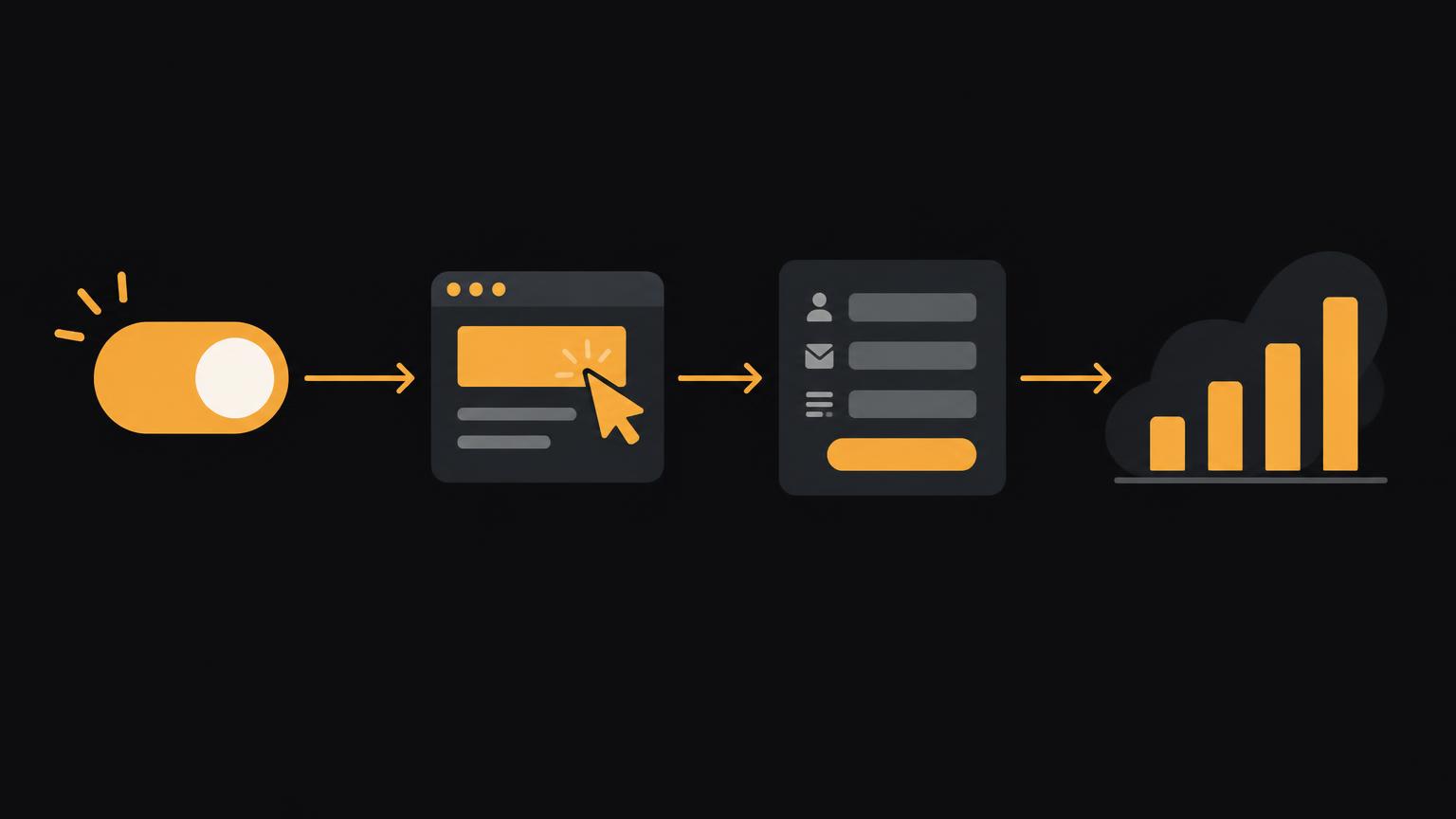
The graphic shows a simplified data flow: consent decision, website action, measurement point and aggregated reporting. The anonymous-looking report is an educational illustration, not an assurance that all preceding data is anonymous. Identifiers and combinations of information may still have privacy implications, even if a report displays no names.
Data minimisation starts by asking what information actually supports a decision. Counting a successful form submission normally does not require message text or contact details in the analytics event. Also check page titles, addresses and technical parameters: personal information can inadvertently appear in URLs or error messages.
For order value, clarify which components are included. A value without a documented definition can produce conflicting reports. Do not transmit every order detail just in case. Also define who receives access, how long data is needed and how changes to the measurement plan are documented.
You will need to provide a responsible contact, defined business goals, information about forms and ordering processes, existing privacy documentation and suitable access with appropriate roles. Do not share passwords in a general project brief. Agree a secure access method and approval for technical changes.
If you would like to clarify goals, consent and events together, you can discuss tracking and marketing analysis through the marketing enquiry form.
Send a non - binding enquiryTest measurement systematically before use
Do not merely check whether any event arrives. What matters is whether the correct event triggers at the right time and precisely to the intended extent. Start with a documented test case: initial page, consent decision, action and expected result. Test data should contain no real customer information and should be identifiable for exclusion from subsequent reporting.
Submit a form successfully and make an intentionally unsuccessful attempt. Check that only confirmed submission counts as completion. Reload a confirmation page and check for double-counting. For a shop, include abandoned payments and a defined test purchase with a controlled value and correct currency in the test plan.
Checklist for a verifiable measurement plan
- Business goal and technical event definition documented in writing.
- Page views, clicks and confirmed completion kept separate.
- Agreement, refusal and withdrawal tested in relevant processes.
- No form contents or unnecessary personal information transmitted.
- Duplicate events from reloading and browser/server transmission checked.
- Purchase value, currency and handling of refunds documented.
- Test cases, responsibility and retesting after changes agreed.
A form adjustment, new ordering system or changed consent solution can affect existing measurement. Plan further checks after relevant changes. The Website analysis service can help examine technical prerequisites alongside the actual enquiry journey.
Why platforms report different figures
A platform must decide which earlier interaction to attribute a conversion to. Specific time windows and attribution rules apply. Different systems may therefore treat the same action differently. Time zones, processing delays, filters and different event definitions also affect reports. When figures differ, start with these basics rather than immediately assuming an error.
Missing consent, technical blocking, device changes and unconnected contact routes limit observation. A later phone call or order through another route cannot automatically be attributed with certainty. Modelled values must also be distinguished from directly observed events. They do not retrospectively identify every missing person.
Do not add reported conversions from different advertising platforms into a total without checking. Several platforms may claim the same conversion. Compare reports with a clearly defined business reference, such as confirmed enquiries or orders, and explain remaining differences transparently.
The advertising budget goes to the platform and remains separate from strategy, setup, measurement planning and ongoing management. Platform costs and advertising spend are paid directly or according to the account setup and confirmed before the project begins. Better measurement does not guarantee sales. The related private draft How much does online advertising cost in Switzerland? distinguishes these areas of work.
Demo : example actions and neutral event names
The local event sequence shows how different actions can produce possible event names. Trigger an example action and compare page views, form starts, confirmed submissions and purchases. This display is a learning aid, not an assessment of your real website. A visible name does not mean an analytics platform has been configured or consent granted.
No data leaves the page in this example; no real analytics platform is contacted and nothing is stored. Select Reset to clear the example sequence. Use the illustration to discuss internally which events matter to your business and which you deliberately do not want to record. Only then should the specific technical implementation be approved.
Summary
- Define a conversion in business terms first, then technically.
- A click or form start is not confirmed completion.
- Google tag, Analytics, Meta Pixel and Conversions API perform different tasks.
- Consent and data minimisation also apply to server-side additions.
- Test successful, unsuccessful and repeated processes.
- Different attribution rules and measurement gaps limit comparability.
Frequently asked questions
Is every click a conversion?
No, a click is initially an interaction. Whether it should serve as a conversion depends on the defined business goal; clicking a phone number does not prove a conversation took place.
Does conversion tracking identify every visitor?
No, measurement does not provide a complete visitor identity. Consent decisions, technical restrictions and different devices limit attribution.
Does Consent Mode replace a consent banner?
No, Consent Mode processes consent signals for supported tags. The choice mechanism and its correct technical connection must be configured and checked separately.
Can the Conversions API bypass a refusal?
No, a server-side connection does not bypass consent. The decision must also be appropriately respected in server-side transmissions.
Why do Google and Meta reports differ?
The systems may use different attribution rules, time windows and technical foundations. Also check event definitions, time zones, processing and possible double-counting.
What data does a form event need?
Information about a confirmed submission is often sufficient for counting. Message text and personal contact details should not be included in an analytics event just in case.
Who is responsible for privacy?
The responsible organisation must clarify the use of tools and necessary safeguards. Technical support from service providers does not replace that responsibility; unresolved legal questions require qualified review.
Sources
- Events - Google Analytics Help Google · checked on 2026 - 11 - 05
- About consent mode - Google Ads Help Google · checked on 2026 - 11 - 05
- About Conversions API | Meta Business Help CentreMeta · checked on 2026 - 11 - 05
- Tracking - personality profiles can emerge from seemingly irrelevant data FDPIC · checked on 2026 - 11 - 05
Back to the top of the article