Online store · Squarespace
Squarespace Online store
created for you
A Squarespace online store combines high-quality product presentation with a clear path to purchase within one system. We design the site around your brand and set up products, categories, the basket and shipping so that design and sales work together.
Product presentation and sales in an elegant grid
Squarespace is particularly suited to brands, creatives and businesses that focus on high-quality product presentation and a clear visual impact. We assess which shop features suit your project based on your range, plan and ongoing maintenance. The demos on this page show what is possible; they do not replace a review of the actual plans and features available.

Visual demo · From website to shop
DEMO SHOP · ILLUSTRATIVE EXAMPLE
One product range.
A clear path to purchase.

CATEGORY
Product range and organisation
DEMO BASKET
Product → Purchase journey
Online store takes shape – no actual change.
Which shops is Squarespace suitable for?
Squarespace is particularly suited to shops where the visual impact of the products drives sales. A photographer needs large images and an uncluttered path to purchase. A personal brand brings content, a blog and a shop together on one site. Together, we assess which product types and features your project really needs and where the system's limits lie.
- 01
Design products
- 02
Photography
- 03
Art and prints
- 04
Fashion and accessories
- 05
Beauty products
- 06
Services
- 07
Digital downloads
- 08
Gift cards
- 09
Small-scale product subscriptions
- 10
Personal brands
For platform-independent planning: Create online store.
Product presentation
02 / Squarespace
Presentation determines how high-quality your products appear. In the interactive gallery, you can switch between a grid, large product images, a magazine view, a detail view and a mobile view. The neutral sample products show how much the choice of view changes perception.
For your shop, we choose the presentation to suit the products: prints need large images, while accessories need a quick overview. We ensure that the chosen view remains easy to read on all devices and that image formats can be kept consistent.
Visual demo · From product to order
DEMO SHOP · ILLUSTRATIVE EXAMPLE
One product range.
A clear path to purchase.
CATEGORY
Product range and organisation
DEMO BASKET
Product → Purchase journey
Add product – no actual change.
Product management
03 / Squarespace
Product management determines what visitors see. In the demo, you can edit the product name, product type, category, price, variant, stock level and status. On the right, the product card, category view, product detail page and search preview update immediately. All details are fictional examples.
For your project, we define which product fields are actually needed and who maintains them. Clear field names and consistent prices make ongoing work considerably easier. Before launch, we test the planned maintenance workflows with typical products.
Product types
04 / Squarespace
Squarespace offers different product types. In the interactive selection, you can switch between a physical product, a service, a digital download, a gift card and a subscription. The product fields, delivery and checkout preview change depending on your selection.
The choice of product type affects shipping, taxes and the ordering process. A service does not need shipping, and a download does not need packaging. We determine the right product type for each offering and check the plan requirements before setting anything up.
Subscriptions
05 / Squarespace
Recurring deliveries can be an interesting option for suitable products. In the demo, you can switch between a one-off purchase, monthly and quarterly deliveries. The price, frequency and summary change accordingly, making the difference visible to visitors.
Subscriptions require a suitable plan, enabled customer accounts and a payment provider that supports recurring payments. Not every product type supports subscriptions. We check these requirements before recommending a subscription.
Discounts
06 / Squarespace
Discounts can support sales, but their use needs to be controlled. The interactive discount centre shows examples of percentage discounts, fixed amounts, free shipping, automatic discounts, discount codes and a volume offer. The demo basket changes as you switch between them.
Some discount types depend on the chosen plan; we make this clear. For your shop, we define which discount types make sense and how they may be combined. Conditions, time periods and exclusions are documented so that promotions remain easy to plan.
The purchase journey at a glance
07 / Squarespace
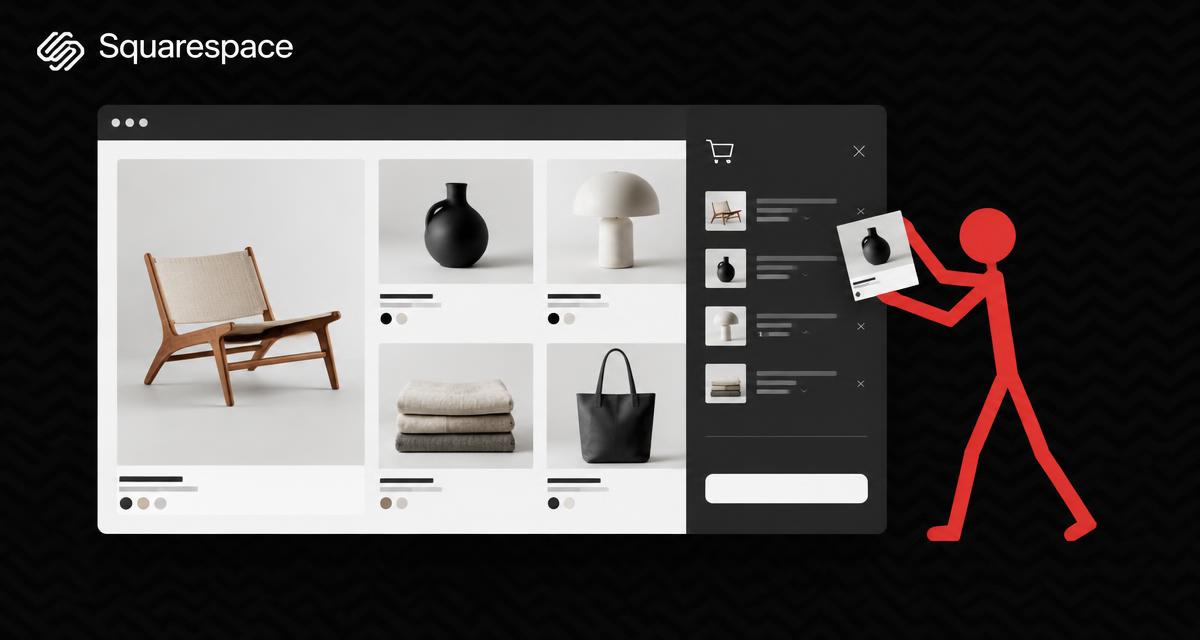
From discovering a product to confirmation: the purchase journey takes you through product selection, variants, the basket, discounts, shipping and a checkout preview. This interpretation shows an elegant product view with a side basket panel, typical of Squarespace.
The demo does not place any orders, store anything or connect to any payment provider. The discount code DEMO10 is valid only in this preview. You can fully reset the demo at any time and start again.
Shipping and pickup
08 / Squarespace
Shipping and collection determine how reliable the shopping experience is. The interactive selection shows standard shipping, free shipping above a sample order value, local delivery, collection and digital delivery. Shipping costs and the summary change accordingly.
Shipping costs, delivery times and legal information are documented before the shop goes live. We check which shipping methods are available on the chosen plan for your project. We do not promise that every option is available.
Design system
09 / Squarespace
Squarespace uses a unified system to design the shop. In the demo, you can change the font pairing, colour palette, image format, spacing, button style and product cards. The entire shop preview changes consistently, just as it does in the actual design system.
This consistency is a strength: changes have the same effect everywhere. At the same time, it calls for decisions that suit the brand. We define fonts, colours and spacing based on your brand identity and document the chosen settings.
Squarespace website and shop
10 / Squarespace
With Squarespace, the website and shop are built within one system. This makes it easier to connect content, a blog and sales, but also means that design and sales decisions need to be considered together.
For the website side of the system, read our page on Squarespace as a website builder. For platform-independent planning, see our Online Store Creation service; we assess existing shops with our Online Store Analysis and make targeted improvements.
Carefully weigh up benefits and limitations
What the system can support
- High-quality product display
- Website and shop within one system
- Products and services
- Digital products
- Discounts
- Subscriptions
- Blog and brand content
- Straightforward management
What we check first
- Features depend on the plan
- Payment methods depend on the country and provider
- Multilingual support requires a suitable solution
- Complex custom features are more limited
- International currencies and markets need to be checked
- Extensions may incur additional costs
A design-focused system requires consistent decisions. Fonts, colours and image formats have the same effect throughout, so they must suit the brand before the shop grows.
Platform plans, apps, extensions and any payment or transaction fees are checked for each project using current information. The fictitious prices within the demos are for illustration only.
From planning to a well-maintained Squarespace shop
- 01
Initial consultation
We clarify your goals, product range and desired visual impact.
- 02
Goals and product range
Products, product types and categories are structured.
- 03
Structure
Navigation, categories and product structure are clearly organised.
- 04
Design
Fonts, colours and image formats follow your brand.
- 05
Products
Products, variants, discounts and subscriptions are set up.
- 06
Payment and shipping
Payment methods, shipping and legal information are checked and configured.
- 07
Check
The purchase journey, presentation and management are tested using examples.
- 08
Introduction
You learn how to manage products, orders and content.
- 09
Publication
The shop only goes live once the agreed checks have been completed.
For an existing website, we first review the content, structure and planned changes. For the technical setup of your domain and email, we take into account Domain Support and Business email.
An existing shop needs the right next step
If you already have a shop, it is worth first taking an objective look at your product range, purchasing journey and maintenance. The Online store analysis helps put things into perspective; a Online store improvements focuses on agreed changes. Content, design and technical decisions are not optimised in isolation.
Product maintenance and brand content require clear responsibilities. The Website training can support the planned maintenance. For discoverability, we consider SEO search engine optimization and GEO optimisation without guaranteeing rankings or results.
Frequently asked questions about Squarespace online stores
Which shops is Squarespace suitable for?
Squarespace is particularly suited to brands, creatives and businesses that focus on high-quality product presentation: design products, photography, art, fashion, cosmetics or personal brands. We assess whether it suits your project based on your range and goals.
Can I sell services and products at the same time?
Yes, Squarespace offers various product types, such as physical products, services, digital downloads and gift cards. Each product type has its own requirements for shipping, taxes and the ordering process. We determine the right type for each offering.
Are subscriptions possible?
Subscriptions are possible, but require a suitable plan, enabled customer accounts and a payment provider that supports recurring payments. Not every product type supports subscriptions. We check these requirements before making a recommendation.
Which discount types are available?
Percentage discounts, fixed amounts, free shipping, automatic discounts and discount codes are generally possible. Some discount types depend on the chosen plan. We check the options for your project and document the conditions and time periods.
Can the shop be multilingual?
Multilingual support in Squarespace requires a suitable solution, with all language versions kept up to date. We assess the languages you need before implementation and tell you openly if another technical solution would be more suitable.
Which payment methods are possible?
The available payment methods depend on the country, currency and provider and are checked for your project. We do not make blanket promises about any particular payment method. The selection is documented and tested before launch.
Can I manage the shop myself?
Yes, the management tools are set up for this and explained during the introduction. It should be possible to edit products, prices, stock levels and content without changing the design. Together, we agree which areas you will take on.
What are the ongoing costs of Squarespace?
We check current plans and any extensions for each project. We do not quote fixed platform prices here because terms may change. You receive a clear overview of the expected ongoing commitments.
Plan your Squarespace online store with us
Tell us about your brand and your products. Together, we will establish how presentation and sales work together.
Official platform information · checked on 03.11.2026
Original logo used to identify the platform, with no claim of partnership or certification.
Page sharing preview