 Web design · Lovable
Lovable Website
created for you
If your website needs to do more than display pages and text, Lovable turns a description of your requirements into a bespoke application with real source code. Design, features, data and user interfaces are planned together. We guide you from the initial description through to a carefully managed launch.
Lovable is not a traditional website builder
Lovable generates a bespoke application with its own source code from your requirements. This makes the platform fundamentally different from a builder with fixed components. We assess whether this level of effort is worthwhile for your project based on your workflows. For a simple information website, a traditional system may be more suitable and easier to maintain.
Visual demo · Website workspace
ATELIER · ILLUSTRATIVE EXAMPLE
A clear idea.
A presence to match.

STRUCTURE
Space and materials
CONTENT
Designed for people
Check application – no actual change.
Which projects is Lovable suitable for?
Lovable shows its strengths where design, functionality and data come together. A customer portal needs login, protected areas and clearly defined permissions. An enquiry platform connects forms with internal processing. A data portal presents filtered information clearly. Not every project needs its own application: if you only want to present services and contact options, a traditional system is often a better fit. That is why we assess the task first and the tool second.
- 01
Bespoke company website
- 02
Customer portal
- 03
Enquiry platform
- 04
Members area
- 05
Appointment or booking application
- 06
Internal administration area
- 07
Data portal
- 08
Bespoke web application
To assess existing workflows: Website analysis.
From idea to interface
02 / Lovable
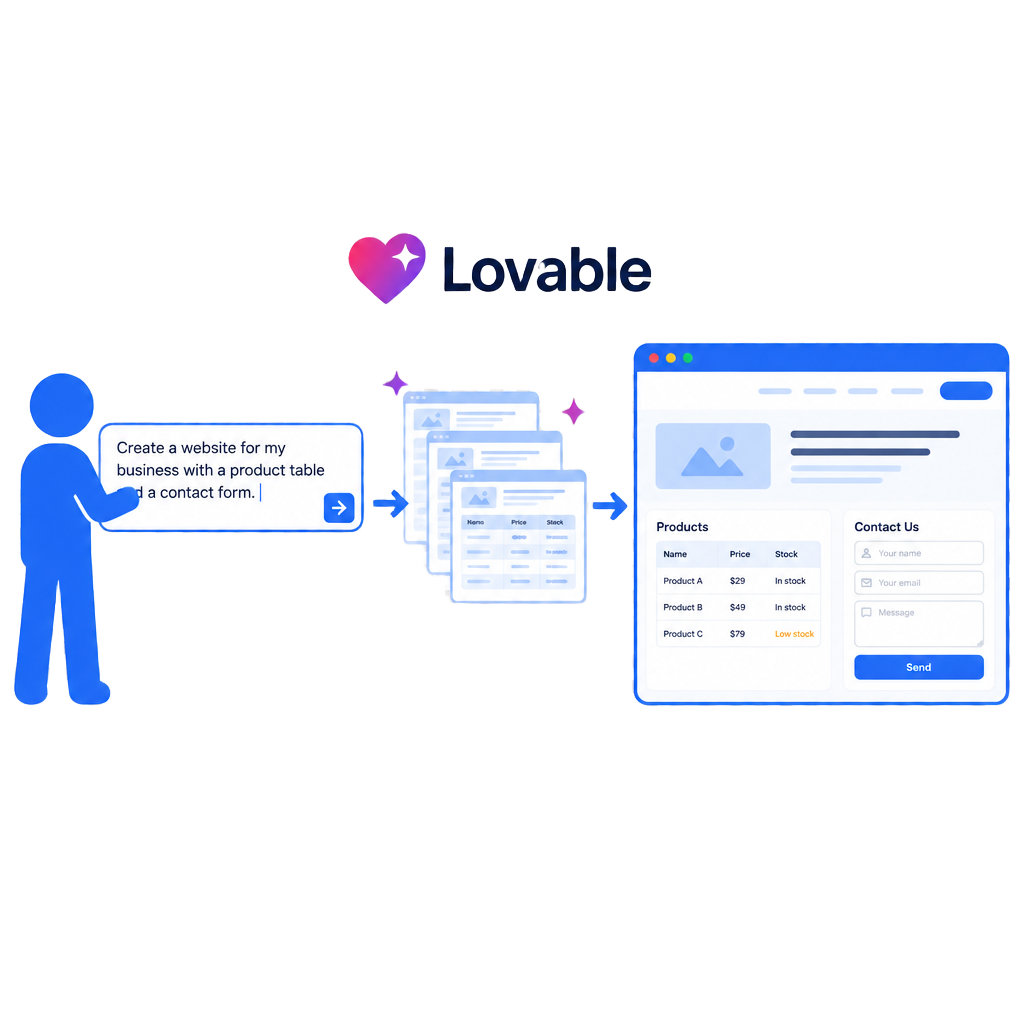
Lovable starts with a description: what should the application do, who will use it and which information matters most? An interface takes shape step by step from this description. The demo illustrates this connection in a simplified way. Choose a project type and the preview changes completely: a company website shows services and contact details, a customer portal shows login, documents and status, and a booking platform shows selection, date and confirmation.
In a real project, this description is not a single sentence but the result of joint planning. We define requirements so that they can produce a usable first version, then review the result with your actual content. The demo remains an illustration in your browser. It does not generate an application, change any account or store your selection.
Visual demo · From building block to bigger picture
ATELIER · ILLUSTRATIVE EXAMPLE
A clear idea.
A presence to match.
STRUCTURE
Space and materials
CONTENT
Designed for people
Describe requirement – no actual change.
See a database in action
03 / Lovable
An application with a database separates content from presentation. The demo shows a small data table on the left with a title, category, status and date. The same information appears as a website view on the right. Edit an entry, add a new demo record or hide an entry: the view updates immediately. Reset returns the demo to its initial state.
This separation is the real advantage over a static page. Content can be managed centrally without adjusting each view individually. It also brings responsibility: who may view, edit or delete entries? Which fields are required and which are optional? We plan these aspects together before creating the first table. The demo uses only local sample data; nothing is stored.
Users and access rights
04 / Lovable
As soon as an application includes protected areas, roles determine who sees what. The demo switches between visitor, customer, staff member and administrator. Different areas of the sample application appear depending on the role. This shows why access is not just a design issue but part of the underlying planning.
The technical distinction matters: permissions must be checked on the server. Simply hiding content in the browser does not provide secure access control, as hidden content may still be accessible. We therefore implement server-side checks and test them with the intended roles. The demo only shows the visible effect of different permissions; it does not create accounts or grant real permissions.
Form and workflow
05 / Lovable
An enquiry is more than a form. The demo guides you through an illustrative workflow: select a service, enter details, display a demo security check, submit the enquiry, create an internal entry, show a confirmation and illustrate an email notification. Each step is clearly marked.
In a real implementation, this includes validation, protection against misuse, clear error messages and reliable internal receipt. We define which details are genuinely needed and what happens after submission. The demo stores nothing, sends no messages and creates no real entries. All input stays in your browser and disappears when you reset the demo.
A design system for the entire application
06 / Lovable
The primary colour, typography, corners, spacing and light or dark appearance shape the entire website. The demo changes these rules centrally; every area of the preview updates together. This principle is what makes a bespoke application maintainable in the long term: design is managed as a set of rules, rather than as individual decisions on each page.
We define the design system at the outset and document it clearly. This keeps later additions consistent, even when new areas are introduced. Contrast, readability and usability on small devices matter just as much as visual appeal. The demo deliberately simplifies this system; it does not change any real application or saved settings.
Code, GitHub and further development
07 / Lovable
A Lovable application consists of real source code that can be managed and developed further. The demo shows the process as a visible sequence: idea, interface, data, testing, launch and further development. A connection to GitHub can support version control and collaboration. A custom domain can be connected for launch.
These capabilities should not be taken for granted. The database and external services need proper configuration, changes need testing, and not every integration works automatically. We therefore check each connection individually and document the planned dependencies. The demo does not publish anything or connect to any account; it only illustrates the sequence of work.
An existing website can be assessed using our Website analysis assess.
Carefully weigh up benefits and limitations
What the platform can support
- Bespoke features instead of fixed components
- Modern user interfaces with their own source code
- Database, login and admin areas available
- Flexible further development and publishing on a custom domain
What we check first
- Complex requirements need careful planning
- Security and permissions must be checked server-side
- External services may incur additional costs
- Ongoing maintenance remains necessary; content and SEO need deliberate setup
A bespoke application opens up possibilities that a conventional system does not offer. At the same time, it brings responsibility for data, permissions and ongoing support. We therefore assess the entire planned workflow, not just the visible starting point.
The platform, database, external services and support are clarified separately before implementation. Not every project needs its own application; we tell you openly when a simpler system is the better choice.
From requirements to a well-maintained Lovable application
- 01
Describe requirements and workflows
Together, we define what the application should do and who will use it.
- 02
Plan data, roles and permissions
Data, roles and permissions are planned before the first interface is created.
- 03
Design the interface and design system
The design system and interface are designed around your content.
- 04
Implement and test features
Features are implemented and tested using typical workflows.
- 05
Prepare the launch and domain
The domain, launch and technical integrations are prepared.
- 06
Agree on handover and further development
The handover explains maintenance, responsibilities and further development.
For an existing website, we first review the content, structure and planned changes. To establish a suitable technical foundation, we consider Domain Support and Business email. Responsibilities for design and technical setup are clearly assigned so that future changes can be planned.
An existing website needs the right next step
If your requirements go beyond a conventional website, it is worth starting with an objective review of workflows and data. The Website analysis helps put things into perspective; a Website improvement focuses on agreed changes. Content, design and technical decisions are not optimised independently.
A clear introduction is particularly important when several people edit content or protected areas. The Website training can support the planned maintenance. For discoverability, we consider SEO search engine optimization and GEO optimisation without guaranteeing rankings or results.
Frequently asked questions about Lovable websites
Is Lovable a website builder?
No. Lovable generates a bespoke application with real source code from a description of your requirements. This enables custom features, databases and user areas, but requires more planning than a traditional builder. We assess whether this approach is worthwhile for your project.
Do I need a bespoke application for a simple website?
Usually not. If you want to present services, images and contact options, a traditional system is often quicker to set up and easier to maintain. A bespoke application is worthwhile when data, user access or specific workflows are central to the project.
Is the generated data secure?
Security comes from proper configuration, not automatically. Access rights must be checked on the server; hiding content in the browser alone does not protect it. We implement the appropriate checks and test them with the intended roles.
Can I manage content myself later?
Yes, if content management areas are planned for this purpose. We establish which content your team should be able to edit and provide clear ways to enter it. Training explains the intended tasks and limits.
What does connecting to GitHub mean?
The source code can be version-controlled and developed collaboratively. This makes changes, reviews and collaboration easier. The connection needs to be set up and maintained; it does not automatically protect against errors.
Can a custom domain be connected?
Yes, a custom domain can be connected for launch. DNS settings, encryption and existing email mailboxes are checked separately so that existing addresses continue to work unchanged.
What ongoing costs are involved?
The platform, database, external services and support are reviewed for each project. We do not quote fixed platform prices because terms may change. What matters is a clear overview of all planned ongoing commitments.
What about search engines and content?
Content, page titles and technical details need deliberate setup; they are not created automatically. We include basic search engine optimisation in the planning without guaranteeing rankings or results.
Plan your Lovable website with us
Describe your workflows and the features your business needs. Together, we establish whether a bespoke application is the right approach.
Official platform information · checked on 26.10.2026
Original logo used to identify the platform, with no claim of partnership or certification.
Page sharing preview