Web design · Organise languages deliberately
Creating a multilingual website: planning, content and technical foundations
Multilingual planning starts by asking who you actually want to reach. An additional language helps only if visitors can find the information they need and subsequently receive support in that language. Translated menu items alone do not make a reliable website.
For companies in Switzerland, German, French and English can serve different purposes. Plan content, technical structure and maintenance together. This guide explains which decisions precede translation and how to avoid inconsistencies later.
1. Clarify target audiences and regional differences
Do not start with the longest possible language list. Identify who is looking for which services and in which language they need information. Distinguish language from region. A French-speaking person in Switzerland may need different contact details from someone in France.
Check your actual capacity to provide support. Who answers a French enquiry? Can consultations take place in English? A translated website can create expectations your business must then meet. It is better to define a clear, limited scope than imply continuous support that does not exist.
Currency, delivery areas, telephone numbers and terminology may matter for regional variants. This does not mean every region needs a completely separate website. Decide based on real differences and record which content applies jointly and which needs regional maintenance.
2. Distinguish full and partial translation
Create a content inventory covering pages, forms, downloads and recurring text. For each language, mark what must be available, what will follow later and what is deliberately not offered. This list also forms the basis for translation, technical implementation and acceptance testing.
Full translation makes a consistent presence easier but creates ongoing maintenance work. Partial translation may suit a clearly defined need. The important point is that switching languages must not unexpectedly lead to a page in another language or always return to the homepage.
Plan deliberately for missing translations. Provide an understandable explanation and, where appropriate, a suitable overview page. Do not invent an apparently equivalent language version when the content is unavailable. A reliable selection is more useful than incomplete navigation with unexpected language changes.
| Content | Question before launch | Responsibility |
|---|---|---|
| Service pages | Offered in every language? | Subject-matter owner |
| Forms | Can enquiries be handled in this language? | Reception or advisory team |
| Blog | Relevant to which audience? | Editorial team |
| Legal content | Does the version fit the offering? | Responsible specialist |
Use the preview article Business website content to complete your initial list. Do not translate outdated pages without checking them. First improve the source texts so that errors are not carried into multiple language versions.
3. Assess professional and automated translation
Automated translation can help create an initial draft or aid understanding of a text. However, it does not replace checks of technical terminology, tone and the actual service promise. Small shifts in meaning can matter, particularly in legal statements, technical instructions and binding product information.
Professional translation also needs a clear brief. Specify the audience, region, preferred tone of address and key terms. Provide context: a short button label is harder to translate without knowing its function than within the full page.
Create a shared glossary
Collect recurring service names, product terms and internal terminology with approved equivalents. This prevents the same service having a different name on every subpage. Also record which proper names remain unchanged. The glossary supports later updates and collaboration between several people.
Review confidential content before passing it to external translation services. Clarify processing, access rights and contractual arrangements. Technically convenient copying does not constitute sufficient authorisation. Published texts then need a named person to check language and factual meaning.
5. Define a clear URL structure
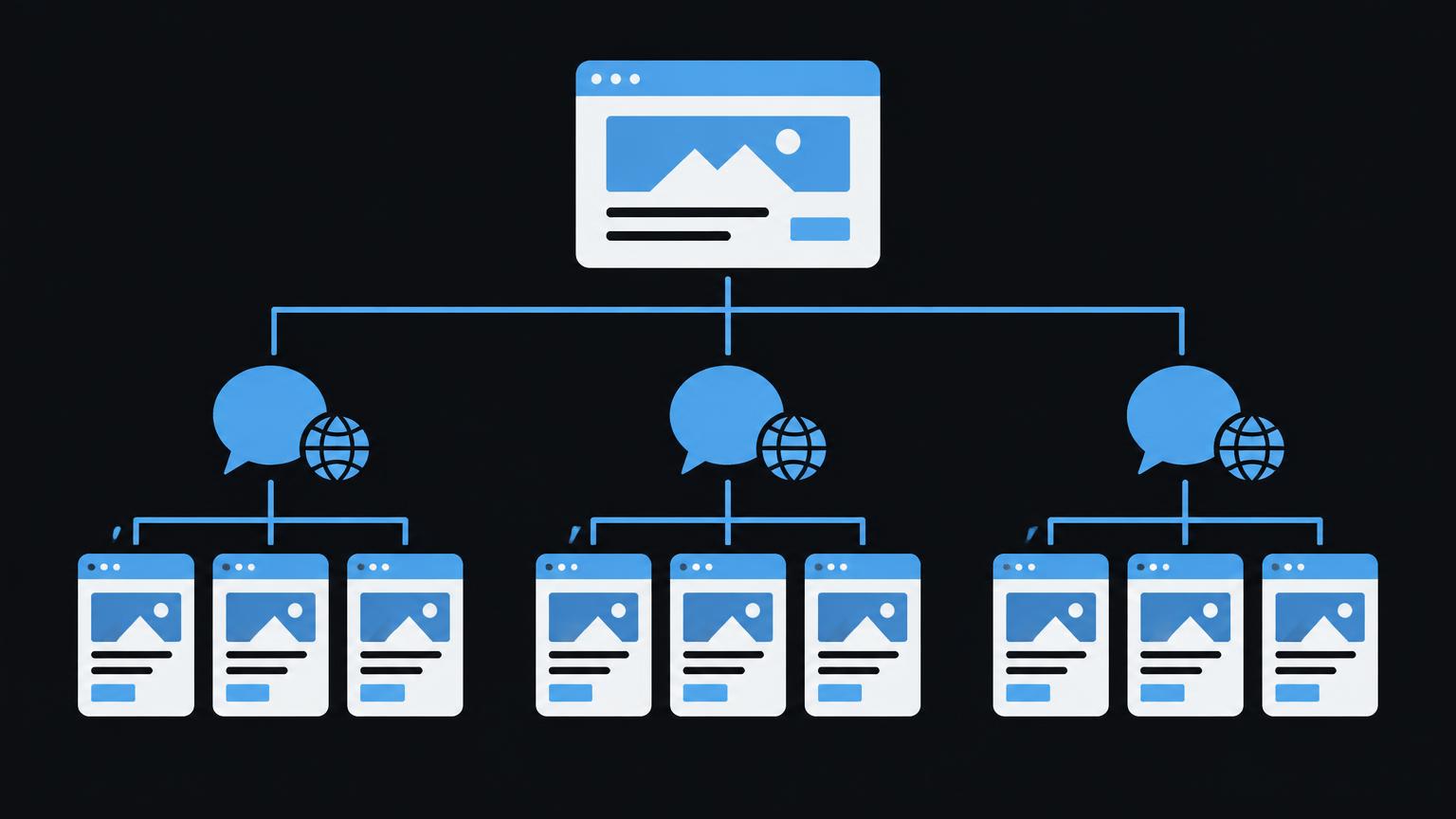
Every published language version should have its own permanently accessible address. Google’s documentation on multi - regional and multilingual websites explains the available structural options. These include language directories, subdomains and suitable country-specific domains, each with different organisational implications.
For a shared website, directories such as /de/, /en/ and /fr/ can be easy to understand. This is one possible structure, not a universal requirement. Consider existing addresses, technical capabilities and responsibilities. A later change requires planned redirects and careful checks.
Translated page paths can be understandable, but must be maintained consistently. The language switcher must not guess the destination by merely replacing a short code. Instead, store the actual relationships between corresponding pages. Different paths are normal, provided these relationships are correct.
Also plan what happens to removed or merged pages. A redirect should lead to a relevant replacement, not arbitrarily to the homepage. Document addresses for each language before publication and check internal links after every structural change.
6. Coordinate hreflang and search engine basics
The hreflang annotation describes relationships between language versions for search engines. According to Google’s documentation on localised page versions, corresponding pages should reference one another and themselves. Each language version needs the complete relevant group, not just a single reference to the main language.
Use valid language codes and add a region only when the distinction is genuinely needed. German is a language; regional targeting can additionally be expressed through de-CH, for example. x-default can identify a neutral selection page or a suitable default version. These annotations do not replace a visible language switcher.
Do not let canonical tags contradict the language structure
Equivalent translations should not all point to the German version through canonical tags. Usually, each independent language page receives a self-referencing canonical tag. Additional regional versions in the same language require separate assessment of potential duplicate content. Coordinate canonical tags and hreflang together.
Google also determines language from visible content; hreflang is not a translation instruction. Do not combine translated navigation with main content that remains entirely German and expect a French page. Also check accessibility, indexability and correct destination addresses for every intended public version.
If you would like to coordinate language scope and technical structure, you can submit an enquiry about your website.
Send a non - binding enquiry7. Translate page titles, forms and confirmations
Page titles and meta descriptions need their own linguistically appropriate versions. Do not mechanically transfer the same string. Describe the relevant offering clearly and appropriately for the page. Search engines may display titles and snippets differently, so the stored search preview provides guidance only.
For forms, labels, selection values, required-field notices and error messages all belong in the translation scope. Remember the text after successful submission and automatic email confirmations too. A French form with a German error message is not just inconsistent; it can make completion harder.
Plan internally how the selected language reaches the team responsible for handling the enquiry. Do not collect unnecessary personal information for this purpose. The confirmation must not promise a response time that cannot be met operationally. Align content and the actual workflow before approval.
Images containing embedded text may need separate versions. Real text beside or over the image is often easier to maintain, provided readability and accessibility are preserved. Also translate meaningful alternative text, captions and downloads when they form part of the relevant language page’s task.
8. Include legal content, blogs and online stores in planning
Legal texts must match the actual offering and data processing. Translation alone does not establish whether regional requirements have been addressed. Have relevant versions checked by specialists where necessary. Do not adopt third-party templates as a supposedly universal solution.
Blog articles can be selected by target audience. Record internally which posts will be translated and how updates will be carried through. A corrected source article must not remain linked indefinitely to an outdated translation. Publication scope and maintenance capacity should align.
In an online store, language coverage includes variants, availability, delivery terms, returns and messages as well as product descriptions. Check the complete purchase journey through to confirmation. Regional differences in currency or delivery are separate business rules and must not be inferred solely from the displayed language.
If the system’s translation features, automated workflows or additional services are needed, check them before implementation. Record supported content and limitations in writing. A language switcher on the homepage does not prove that bookings, payments or external integrations also work in multiple languages.
9. Test the language demo as a connected journey
The local demo switches between DE, EN and FR. Example text, navigation, form labels and the search preview visibly change. It does not translate your own website. The selection is not stored and no entries are transmitted.
Observe whether the offering conveys the same message in every language. Then check menu terms, field labels and the wording of the next action. These small components are easily overlooked in real projects, although they are crucial to an understandable process.
Also use the demo to coordinate with the people responsible for each language. Ask them to approve not just individual words but the entire journey from entry to confirmation. For mobile testing, the protected draft Responsive web design complements this perspective.
10. Organise responsibilities and ongoing maintenance
Approval for each language
- Page scope and target audience are defined.
- Terminology and tone of address are agreed.
- Navigation and language switching lead to appropriate pages.
- Forms and confirmations have been checked in full.
- Addresses, canonical tags and hreflang are consistent.
- Legal and regional differences are clarified.
- A responsible person approves each language version.
- Changes trigger a traceable translation request.
Assign subject-matter and language responsibility for each language, even if the same person fills both roles. Record who initiates changes and who approves them. Without this workflow, descriptions of services can easily diverge after a few months.
A simple change log may be enough: affected page, reason, revised source version and outstanding translations. Define how urgent corrections are handled. An incorrect contact route needs faster adjustment than a purely stylistic improvement.
Plan the scope using the draft Website planning, which is linked only in the protected preview. For technical foundations, website creation provides a service reference, while SEO covers search engine questions. What matters is a scope that remains maintainable, not the largest possible number of languages.
Identify typical mistakes before approval
Test each language with a specific task: find a service, resolve questions and understand how to make contact. Common mistakes include untranslated error messages, outdated downloads and language switchers without appropriate destination pages. Record defects with the address and responsible person rather than merely obtaining general language approval.
Summary
- Choose languages based on actual audiences and support capacity.
- Explicitly define full and partial translation.
- Review text, navigation, forms and confirmations as one connected process.
- Plan separate addresses and consistent hreflang and canonical annotations.
- Name responsible people and carry changes through all affected versions.
Frequently asked questions
Must every page be translated into every language?
No. A clearly limited language offering can make sense. However, show clearly which content is available. The language switcher should not imply an equivalent page exists when it does not.
Is automated translation enough?
It can provide a draft, but needs subject-matter and language review. Binding statements and legal content require particular attention. Also check how confidential source texts are handled.
Are flags a good way to select a language?
On their own, they are imprecise because language and country are not the same thing. Use understandable language names. Regional variants can be identified additionally where genuinely needed.
Does hreflang guarantee the correct display on Google?
No. It helps identify appropriate language versions but guarantees no particular presentation. Pages must remain accessible and consistent in content. Check reciprocal references and valid codes.
Does every language need its own domain?
No. Directories and subdomains are also possible structures. The decision depends on organisation, regional targeting and technical maintenance. An additional domain alone does not improve content.
Who should approve translations?
A named person should check the factual message, and a suitable person should review the language. Both roles may be combined. What matters is that responsibility also remains defined for later changes.
Sources
- Localized Versions of your Pages | Google Search Central | Documentation | Google for DevelopersGoogle · checked on 2026 - 11 - 05
- Managing Multi - Regional and Multilingual Sites | Google Search Central | Documentation | Google for Developers Google · checked on 2026 - 11 - 05
Back to the top of the article