Trends and inspiration · Trends and inspiration
Interactive websites with animations and 3D elements
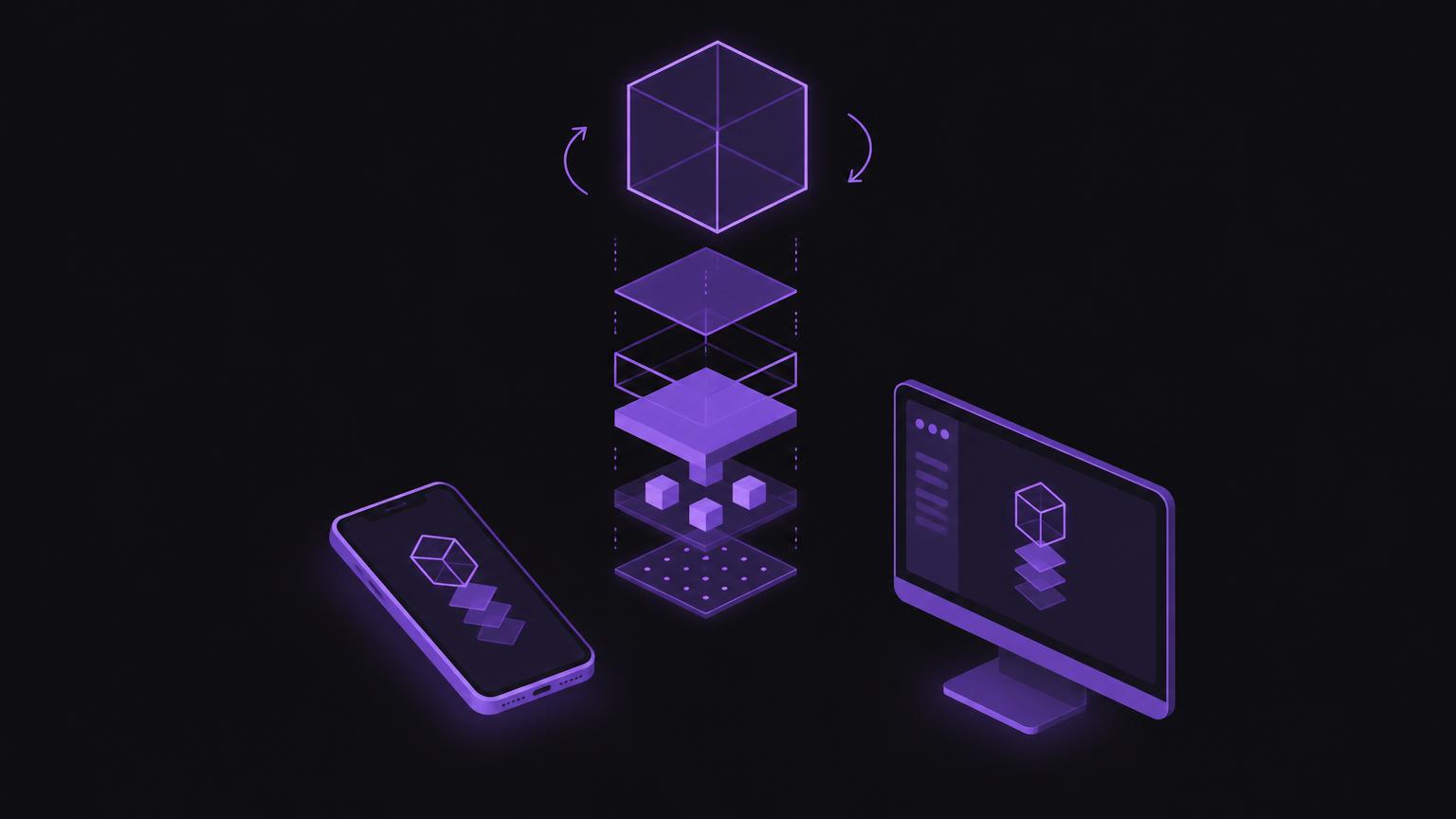
Animations and 3D content can explain products and make processes visible. However, they are worthwhile only when they help visitors understand or do something better. Learn which interactions are suitable and which alternatives matter.
Interaction needs a clear purpose
Animations and 3D content can explain, demonstrate or provide feedback. They are helpful when movement makes an action clearer or an object can be understood from several angles. An effect alone is not a reason to make a website interactive. Start by asking what visitors will understand or decide more easily after the interaction.
Entrance animations accompany the initial arrival on a page. A short, gentle movement can support the layout, but should not delay access to the heading and content. Scroll animations can reveal individual steps in an explanation. Do not make important content appear exclusively through scrolling, and avoid movement that interrupts reading.
Click interactions are usually clearer than gestures because they represent a deliberate action. Microinteractions provide feedback, for example when a selection has been applied or a section opened. Show states clearly and let visitors retain control. The same information must be accessible using a keyboard and on touch devices.
Show products and their components
A rotating product view can convey shape and detail from several perspectives. It is particularly relevant when spatial form matters to understanding. An exploded view, in which components move apart, can explain construction or assembly order. Label components clearly and accompany the display with explanatory text.
Variants can be compared interactively when differences are visible and relevant. Make sure the selection, label and result match. An interactive explanation can divide complex processes into manageable steps. However, it should not assume that everyone can rotate, drag or precisely target an object.
WebGL is a web technology that can display 3D graphics in a browser view. This does not mean every website needs a 3D scene. Complex geometry, textures and scripts can be demanding on less powerful devices. The technical choice depends on the content, target devices and existing implementation. Before implementation, check file size, loading behaviour and possible alternatives, among other factors.
Loading behaviour and devices
Do not load an elaborate display automatically on the first page visit if it is needed only later. A preview with a clear button can leave the decision to visitors. After the click, make it apparent that content is loading and provide an understandable alternative if an error occurs. Ensure loading does not block the rest of the page.
Reduced detail or an alternative image sequence often makes sense for mobile use. Check the display at different screen sizes and on devices with limited processing power. A scene that runs smoothly on a powerful desktop may stutter or consume excessive energy on an older mobile device. Provide an easy way to leave or reset the interaction.
Performance is part of the user experience. Optimise media, avoid unnecessary libraries and measure the page with the content actually used. Web Vitals provides a useful reference for aspects of user experience, but does not replace testing on real devices and connections.
Keyboard access, movement and alternatives
Interactive elements must be reachable and usable with a keyboard. Make focus states visible and use clear labels. A 3D view needs controls that do not rely solely on mouse movements. For example, support clearly labelled buttons for rotation or switching views if these functions are necessary for understanding.
Movement can be disruptive for some people. Respect reduced-motion settings and avoid mandatory animations. An alternative static presentation, such as labelled images, should convey the same important content. Also describe relevant information outside the graphic rather than making it accessible only visually or through movement.
| Interaction | Possible benefit | Technical effort | Required alternative |
|---|---|---|---|
| Rotating product view | Understand shape from several angles | Medium to high, depending on the model and technology | Labelled static views |
| Exploding components | Explain construction or relationships | High for a freely controllable display | Numbered diagram and step-by-step text |
| Scroll animation | Visually accompany a sequence of steps | Medium, including motion checks | Complete content without animation |
| Microinteraction | Feedback on a selection or action | Low to medium | Textual state information and keyboard focus |
| Interactive variants | Compare differences directly | Medium, coordinating data and states | A table or labelled comparison images |
| 3D explanation | Show spatial relationships | High, accounting for devices and loading | A simple diagram and explanatory text |
Discuss with us whether animations or 3D content would offer a specific benefit for your website.
Send a non - binding enquiryWhich projects can benefit
An interactive product display can be useful for products that need explanation, spatial relationships or several relevant views. Training content and technical processes can also benefit from a step-by-step presentation. What matters is whether the interaction answers a specific question. For a simple service or a readily understandable product image, good photographs, diagrams and precise text are often enough.
Plan the content before the technology. Which components matter? Which labels do visitors need? Which perspective reveals a difference? Who supplies and checks the required data and images? Also establish who will handle later changes. Customer data, approvals and supplied product information must be agreed before publication.
A 3D display is no substitute for complete product information or clear navigation. Provide essential features, limitations and next steps in text. Connect the display to accessible actions and ensure the page offers understandable content even without the scene activated.
Check before use
The following local example shows three possible modes: rotate, explode components and display information. It is intended as a lightweight illustration, not a complete product configurator. The interaction is activated only after a deliberate action. In a real project, the model, content, controls and alternatives must be planned around the specific requirements.
The example only loads when you choose to load it, keeping the page fast.
Check whether each mode offers recognisable added value. If a visitor is looking for one piece of information, it should not be hidden behind several interactions. A visible starting point, a clear return to the normal view and a text alternative keep the page understandable.
Animation and 3D checklist
- Which specific question does the interaction answer?
- Can the page convey its core content without animation?
- Does the 3D display load only after a deliberate action?
- Are keyboard controls and visible focus states planned?
- Is there an alternative for reduced motion and less powerful devices?
- Have loading time, media and error states been tested?
- Are content, product details and approvals clear?
Plan the feature as part of the overall website concept, not as an isolated effect. 3D elements for websites can be coordinated with website creation or targeted website improvement.
From prototype to publication
A prototype should initially demonstrate the interaction rather than the final level of detail. Let people carry out the task and observe whether they understand the controls. Ask what information they take away and whether they would prefer a simpler presentation. This feedback helps eliminate unnecessary features early.
Technical and editorial checks follow: loading behaviour, mobile display, keyboard access, reduced motion, alternative text and clear labels. Check the feature in different browsers and on different devices. Define how the display behaves if loading fails or graphics are disabled. Before implementation, check existing components and whether they can be reused.
A good interactive website keeps content at its centre. If an animation provides direction or makes an object understandable, it serves a purpose. If it merely attracts attention, a simpler solution is probably more suitable. Make the decision based on usefulness, accessibility and technical limitations.
Summary
- Interaction should provide a clear benefit.
- Use rotating and exploded views selectively.
- Load 3D content deliberately and on demand where possible.
- Plan for keyboards, mobile devices and reduced motion.
- An understandable alternative remains available.
Frequently asked questions
When is a 3D display useful?
When shape, construction or spatial relationships matter to understanding and a simpler presentation does not fulfil the task equally well.
Does a 3D view have to be controlled with a mouse?
No. Account for keyboard and touch use, and provide labelled controls and an understandable alternative presentation.
Should the scene load immediately?
Not necessarily. A preview with deliberate activation can avoid unnecessary loading. Check loading behaviour and error states.
What is WebGL?
WebGL is a web technology for displaying interactive 2D and 3D graphics in the browser. Whether it suits a project depends on the implementation and devices.
How do I account for reduced motion?
Avoid mandatory animations, respect the relevant system settings and also provide key information in a static format.
Does 3D work equally well on every mobile device?
No. Performance and presentation differ. Test with representative devices and plan a simplified alternative.
Sources
- WebGL APIMDN Web Docs · checked on 2026 - 11 - 05
- prefers-reduced-motionMDN Web Docs · checked on 2026 - 11 - 05
- Web VitalsGoogle · checked on 2026 - 11 - 05
Back to the top of the article